
White-label review and reputation management software
Sell review management under your agency's brand. Your clients sign in to a dashboard with your logo and colours, get PDF reports in your name, and never see an invoice from us. Localblend runs the software. You package and price the service.
Last updated November 04, 2026
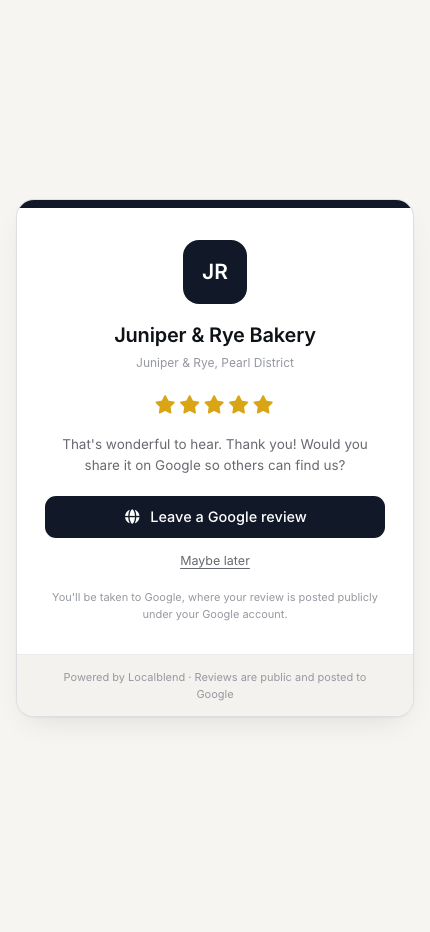
White-label review management means your clients see your agency's brand, not ours. On every Localblend agency plan, your logo, colours and name go on each client's dashboard and on the PDF reports you send, and Localblend's name is kept out of the client's dashboard. The review page your client's customers use always shows the client's own business.
What white-label means with Localblend
Carries your brand today
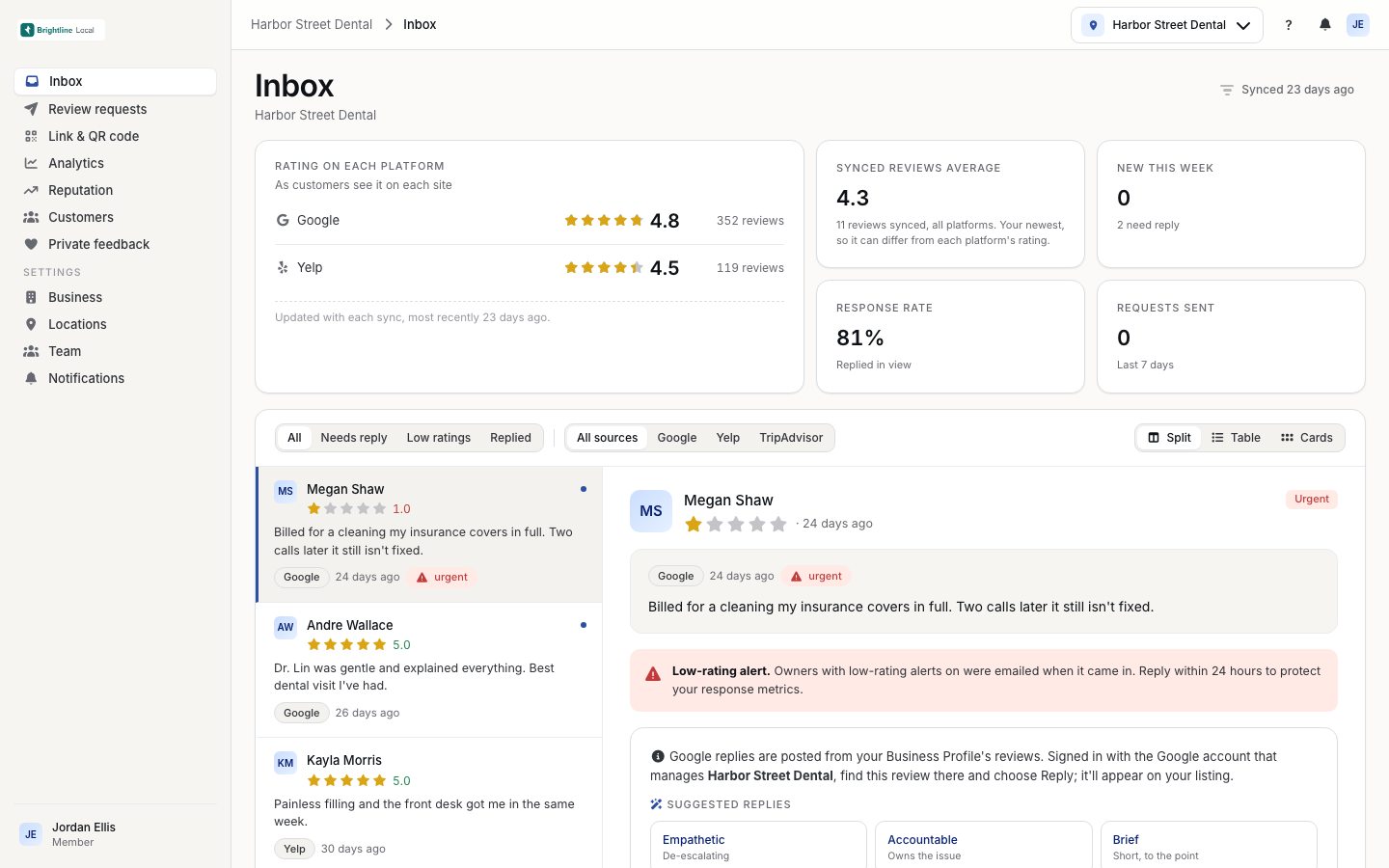
- Each client's dashboard: your logo, colour and name
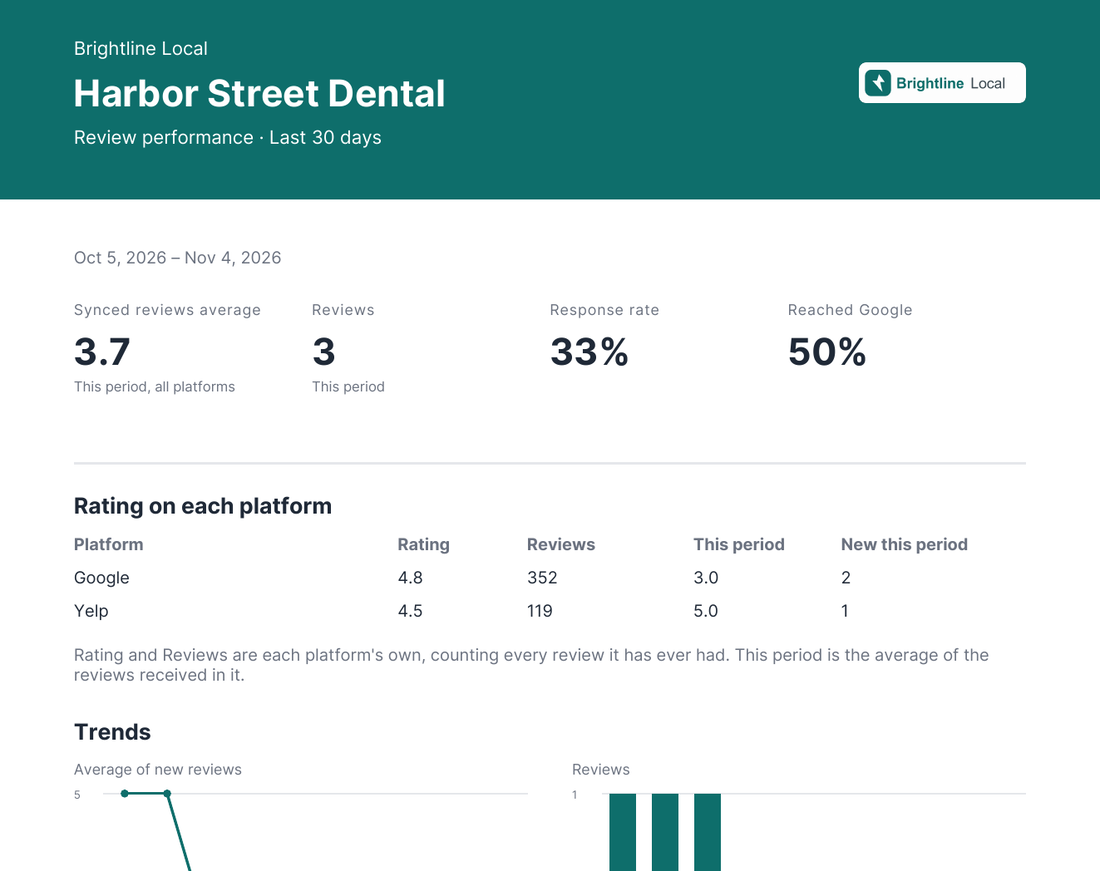
- The PDF reports you generate
- Client invitations, sent in your agency's name with replies coming to you
- Help requests from clients, which go to your team
Still shows Localblend today
- The sign-in page
- The browser tab's title and icon
- Account emails, such as review alerts and password resets
- The web address (your own domain is on the roadmap)
Always the client's own brand
- The review page and QR code the client's customers use
See what your clients see
Run every client from one agency account
Step 1: Set your brand once
Upload your logo and choose your colour. Every client dashboard and report picks them up.
Step 2: Add or invite clients
Create a client yourself or invite the business, and the invitation arrives in your agency's name. Add each location from its Google Maps link. There's no Google login to hand over.
Step 3: Work reviews and requests
Google, TripAdvisor and Yelp reviews arrive in one cross-client inbox. Each comes with AI-drafted replies your team approves and posts from the account that manages the listing. Review requests send every customer to the client's public Google review page.
Step 4: Report under your name
Generate each client's branded PDF report whenever you need it.
White-label features: what's included today
| Feature | Available today? | How it works |
|---|---|---|
| Branded client dashboards | Yes | Your logo, colour and name; Localblend kept out |
| Branded PDF reports | Yes | Generated on demand for each client |
| Cross-client inbox | Yes | One queue for every client, with replies credited to your team |
| AI-drafted replies | Yes | Three drafts per review; a person approves and posts each one |
| Shared templates | Yes | Write once, push to every client |
| Email review requests | Yes | With one automatic follow-up |
| SMS review requests | Yes, through your Twilio | Twilio bills you at cost; we don't mark it up |
| Google review link and QR code | Yes | Branded to the client's business |
| Dashboards on your own domain | Not yet | On the roadmap |
| Branded alert emails and sign-in page | Not yet | They show Localblend today |
| Scheduled report delivery | Not yet | Reports are generated when you ask for them |
| Facebook and Trustpilot reviews | Not yet | On the roadmap |
Set up your first white-label client
- Upload your logo and choose your brand colour.
- Agree the scope with your client: which locations, who approves replies, and how complaints get escalated.
- Make sure someone on your team is a manager on the client's Google Business Profile (and TripAdvisor and Yelp, if used) so you can post replies.
- Invite the client, so the invitation arrives in your agency's name.
- Add each location from its Google Maps link.
- Send the first review requests from a shared template.
- Generate the first branded report and walk the client through it.
Is Localblend the right white-label platform for your agency?
A good fit
You look after reviews for local businesses, want clients to see your brand rather than ours, and want one inbox and one invoice for every client.
Not a fit today if you need:
- dashboards on your own web address right now;
- every client email in your brand;
- replies posted without a person approving them;
- Facebook or Trustpilot reviews right now;
- review requests that point anywhere other than Google.
Six questions to ask any white-label platform
| Question | Localblend's answer |
|---|---|
| Which screens carry my brand? | Client dashboards and PDF reports. The sign-in page, the browser tab and alert emails still show Localblend. |
| Where do my clients' questions go? | To your team. |
| Who do my clients pay? | You. We invoice your agency only. |
| Does it ask every customer for a review? | Yes. Nobody is filtered out by rating. |
| Who approves and posts replies? | Your team, every time. |
Localblend helps agencies ask genuine customers for honest reviews. It never gates reviews by predicted rating, never routes low-rating customers away from Google, and never incentivises reviews. Every customer sees the same public Google review path.
FAQ
What exactly is white-labelled?
Can clients use my agency's own domain?
Is the review page branded to my agency or to the client?
Are replies posted automatically?
Do I need my clients' Google passwords?
Can I send review requests by SMS?
Which review sites are supported?
Is there a free trial?
Start selling review management under your brand
Start today. Your first subscription comes with a 30-day money-back guarantee.
30-day money-back guarantee · Cancel anytime · Free tools, no signup